Hey everyone, I have some important news to share with you. If you are using Microsoft Azure to store, process or transmit cardholder data, you need to be aware of a recent change in the PCI DSS scope. PCI DSS stands for Payment Card Industry Data Security Standard, and it is a set of requirements that apply to any organization that handles credit or debit card information. The scope defines what parts of your system are subject to PCI DSS compliance.
Continue reading “PCI DSS scope expanded in Microsoft Azure”Azure Firewall: DNS, DNS proxy and FQDN filtering
Hello, everyone !!!
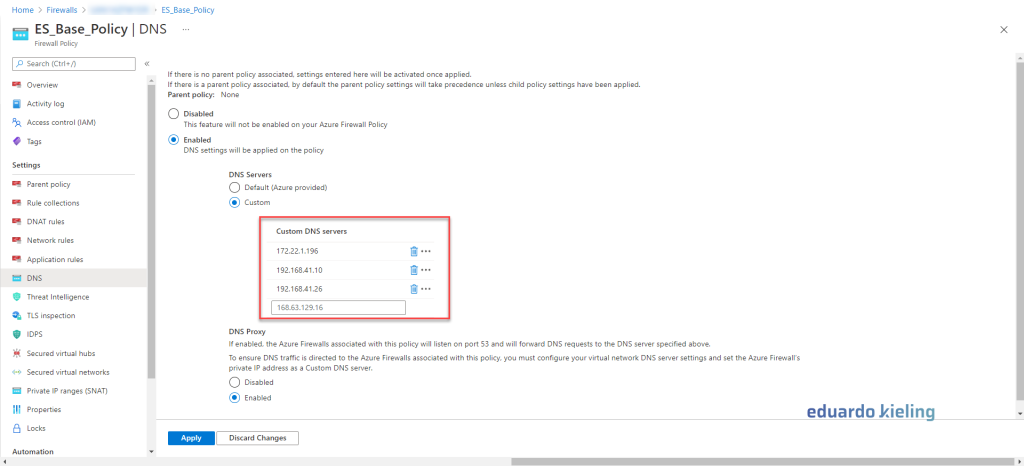
Did you know that in Azure Firewall it is possible to do custom DNS filtering, using your Azure Firewall as a DNS proxy and even create rules based on FQDN (for non-HTTP/S and non-MSSQL protocols).
Continue reading “Azure Firewall: DNS, DNS proxy and FQDN filtering”How to monitor your Azure Virtual Desktop
Hi there! In this blog post, I’m going to show you how to monitor your Azure Virtual Desktop (AVD) environment using Azure Monitor. Azure Monitor is a service that collects and analyzes data from your Azure resources and applications. It helps you troubleshoot issues, optimize performance, and plan for future growth.
Continue reading “How to monitor your Azure Virtual Desktop”Availability Zone for Brazil South is now available
Hello everyone! We have great news for you: the Availability Zone for Brazil South is now available! This means that you can take advantage of the benefits of a more resilient and secure cloud infrastructure in the southern region of Brazil.
Continue reading “Availability Zone for Brazil South is now available”Getting to know Azure Firewall Premium
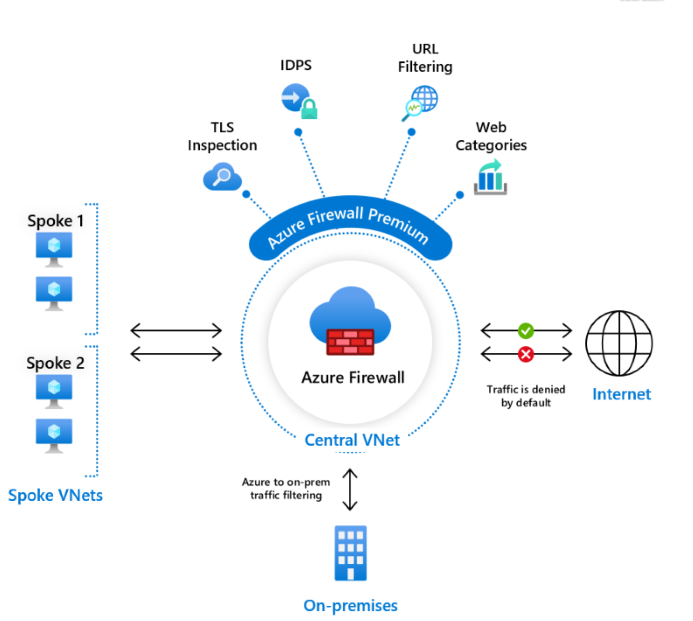
Hey everyone, welcome to my blog where I share my thoughts and tips on cloud computing. Today I want to talk about Azure Firewall Premium, a new service that Microsoft launched recently. Azure Firewall Premium is an upgrade to the existing Azure Firewall service that offers some advanced features such as TLS inspection, IDPS, URL filtering and web categories.
Checking the health of resources with Azure Monitor
Hi everyone! In this blog post, I’m going to show you how to check the health of your resources with Azure Monitor. Azure Monitor is a powerful tool that lets you monitor the performance, availability, and reliability of your Azure services and applications. With Azure Monitor, you can:

- Collect and analyze metrics and logs from your resources
- Set up alerts and notifications for important events and issues
- Create dashboards and reports to visualize your data
- Troubleshoot problems and optimize your resources
Script to Assist in Point-to-Site VPN and OpenVPN with Azure
Script para auxiliar a configuração da VPN point-to-site e OpenVPN com o Azure em máquinas Windows
Hello everyone!!
I created a script to assist in the configuration of point-to-site VPN and OpenVPN with Azure on Windows machines. This script easily and iteratively generates the certificates and keys required for the configuration process of both types of VPN.

Continue reading “Script to Assist in Point-to-Site VPN and OpenVPN with Azure”
Configuring passwordless with your Authenticator APP
HEEYYY!!!
Microsoft has previewed a new security feature that allows the use of the Microsoft Authenticator app to log in to Azure without the need for a password. This is relevant because one of the most common ways to steal passwords today is through a keylogger, which captures the password and username as the user types. However, this is just one of the problems it solves. Another important issue is to avoid password storage.
 Continue reading “Configuring passwordless with your Authenticator APP”
Creating SPOT VMs in Azure
Hello!
Microsoft has finally launched the SPOT VMs, which we already had in other clouds such as AWS and GCP. These virtual machines provide access to unused computational resources in Azure and also large discounts. However, they cannot be reserved and Azure can interrupt them at any time to use its resources. The SPOT VMs are ideal for:
- Workloads that can support interruptions
- Development and testing
- Applications that do not store state
- Short-lived tasks
- Batch jobs

Creating Proximity Positioning Groups
Hello guys,
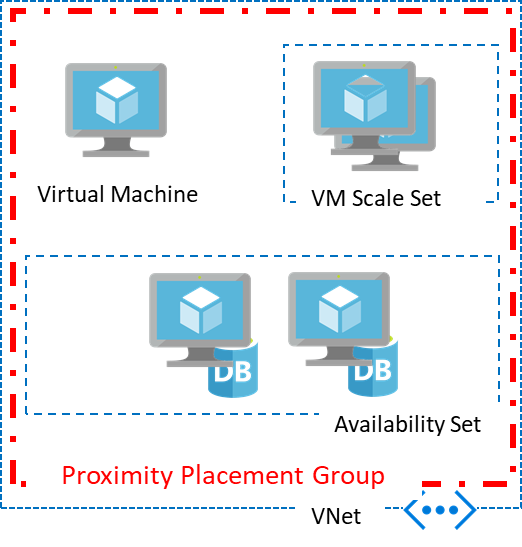
Do you know about Proximity Placement Groups in Azure and what they are used for? With proximity groups, you can place your Virtual Machines as close as possible, thus achieving the best possible latency. These proximity groups are a logical grouping to ensure that computational resources are physically located close to each other.