
Hello everyone,
If you’ve worked on any Azure reorganization or migration, you already know this situation.
You plan to move resources between subscriptions, reorganize resource groups, or even shift workloads across regions. Everything looks straightforward… until you hit that one resource that simply doesn’t support the move.
Or worse, something depends on something else and suddenly your entire plan needs to change.
That’s exactly the kind of problem the Cloud Move Analyzer was built to solve.
A simple idea that saves a lot of time
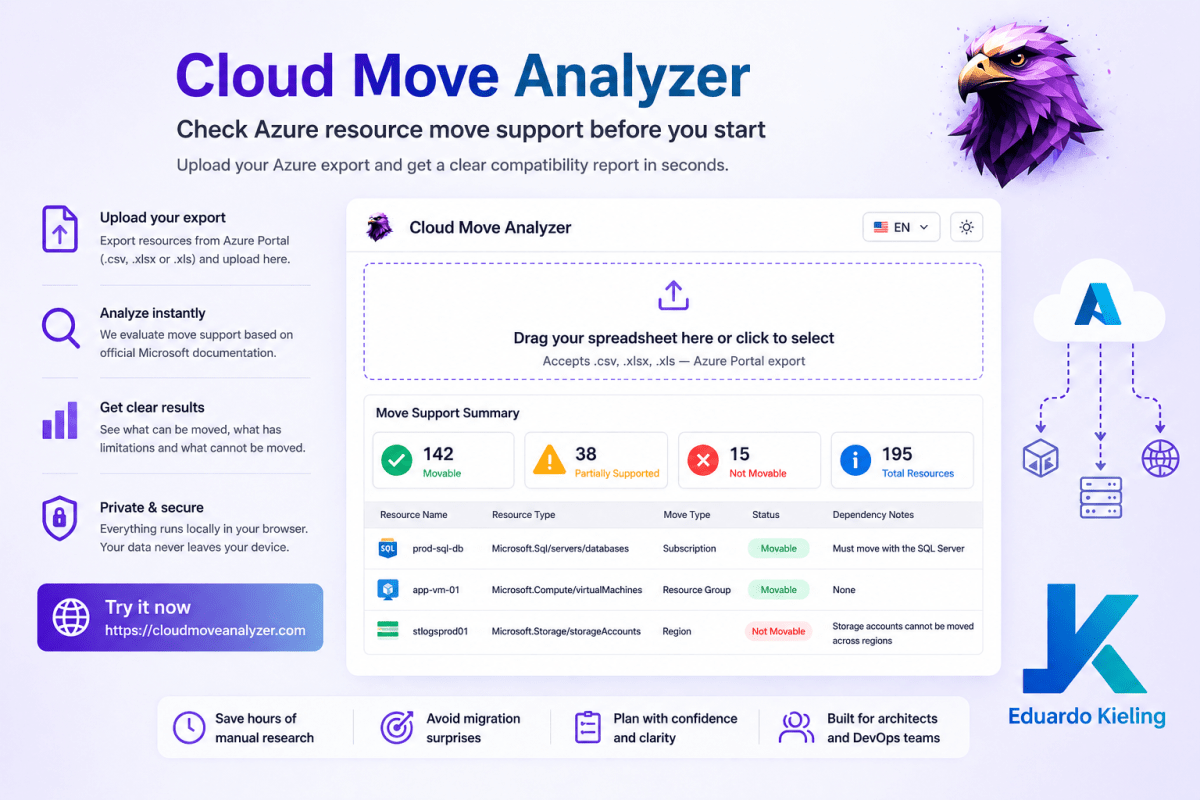
Instead of checking Azure documentation resource by resource, this tool gives you a quick and structured view of what can actually be moved.
You export your resources from the Azure Portal as a spreadsheet, upload it, and in a few seconds you get a clear breakdown of:
- What can be moved
- What is partially supported
- What cannot be moved
- Dependencies you need to consider
No guesswork, no manual validation.
How it works in practice
The workflow is pretty straightforward:
- Export your resources from Azure Portal as .csv, .xlsx or .xls
- Upload the file into the tool
- Review the generated report
Behind the scenes, the tool uses data aligned with Microsoft documentation to evaluate move support for each resource type.
Another nice detail is that everything runs locally in your browser. Your data doesn’t get uploaded to any external server, which makes it easier to use even in restricted environments.
Where this becomes really useful
This is not just a “nice to have”. In real projects, it can save a lot of time and avoid painful surprises.
Subscription consolidation is a classic example. Companies that grew fast usually end up with multiple subscriptions created over time. When they decide to centralize governance and billing, they need to move a large number of resources. This tool helps identify blockers before starting.
Another common case is environment restructuring, like separating DEV, TEST and PROD into different subscriptions or resource groups. Instead of discovering limitations during execution, you already know what needs a different approach.
It also helps a lot in mergers and acquisitions, where two Azure environments need to be combined. Different standards, different setups, and a lot of unknowns. Having a quick compatibility check makes planning much easier.
Even in region migration scenarios, where you may not use move operations directly, understanding limitations helps define whether you should move or redeploy.
Try it
You can access the tool here:
👉 https://cloudmoveanalyzer.com
Final thoughts
It’s a simple tool, but it solves a very real problem that most Azure architects have faced at some point.
Instead of spending hours validating documentation, you get a clear picture in seconds and can move forward with confidence.
If you’re planning any kind of Azure reorganization, this is definitely worth trying.